1. The blah, blah, blah part
1.1. What’s Git?
- Git
- A mild pejorative with origins in British English for an unpleasant, silly, incompetent, stupid, annoying, senile, elderly or childish person.
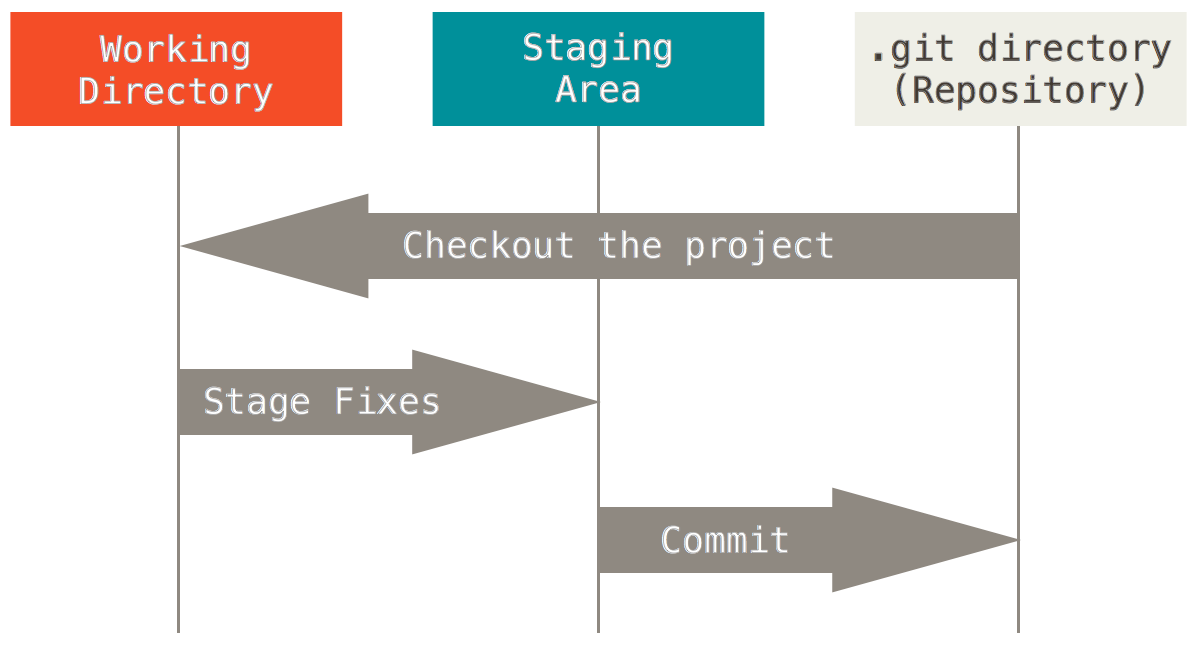
1.3. The 3 States of a File
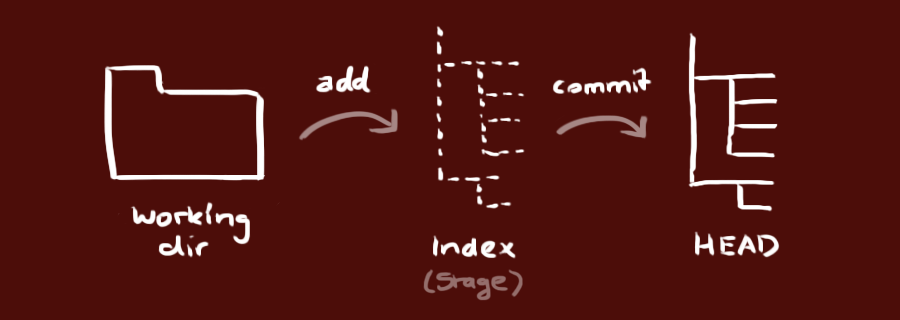
1.3.1. Working tree (Modified)
Indicates what files have been changed.
1.3.2. Index (Staged)
Marks changed files/lines to be committed (Saved into database)
1.4. Tree structure
.git content
HEAD
branches/
config
description
hooks/
index
info/
objects/
refs/
Basic files
configfile contains your project-specific configuration options.infodirectory keeps a global exclude file for ignored patterns that you don’t want to track in a .gitignore file.
Important files
HEADfile points to the branch you currently have checked out.indexfile is where Git stores your staging area information.objectsdirectory stores all the content for your database.refsdirectory stores pointers into commit objects in that data (branches).