3. The advanced stuff
3.1. Don’t Reset Public History
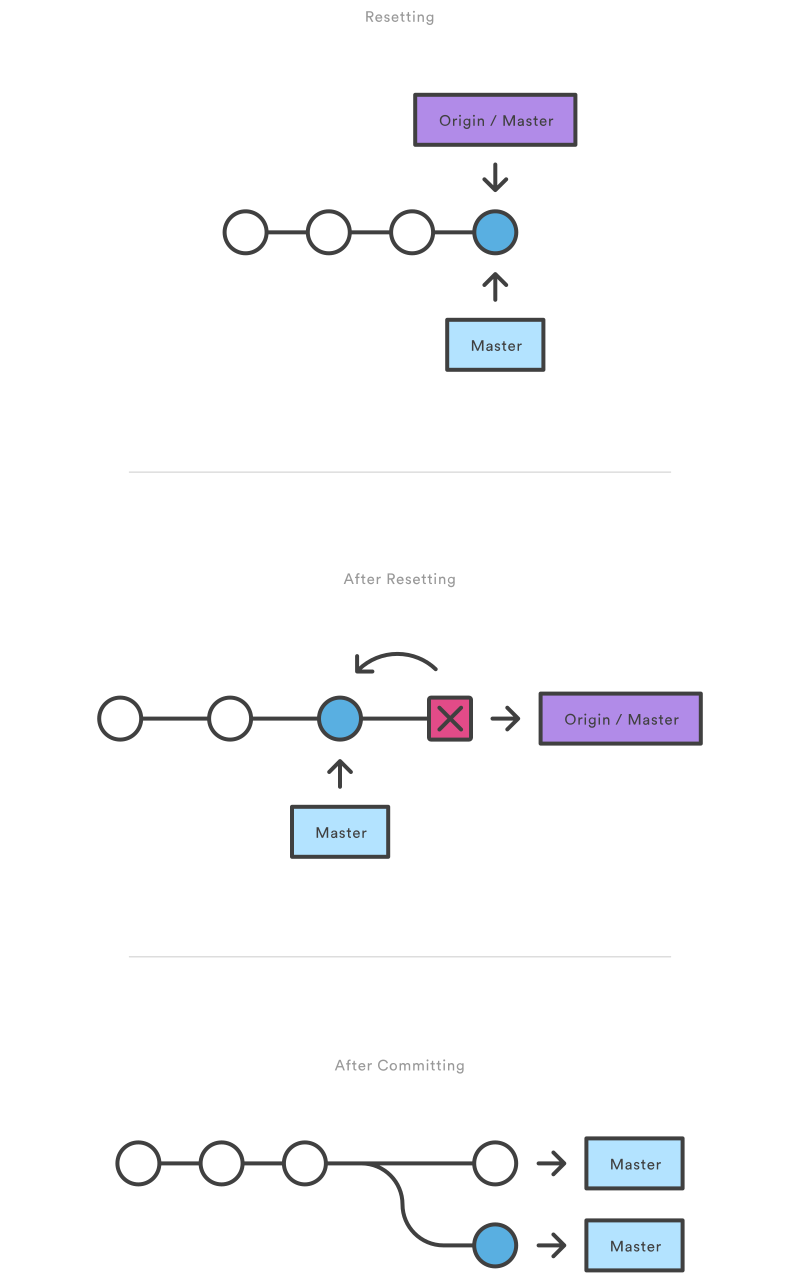
As soon as you add new commits after the reset, Git will think that your local history has diverged from origin/master, and the merge commit required to synchronize your repositories is likely to confuse and frustrate your team.
3.2. Collaboration
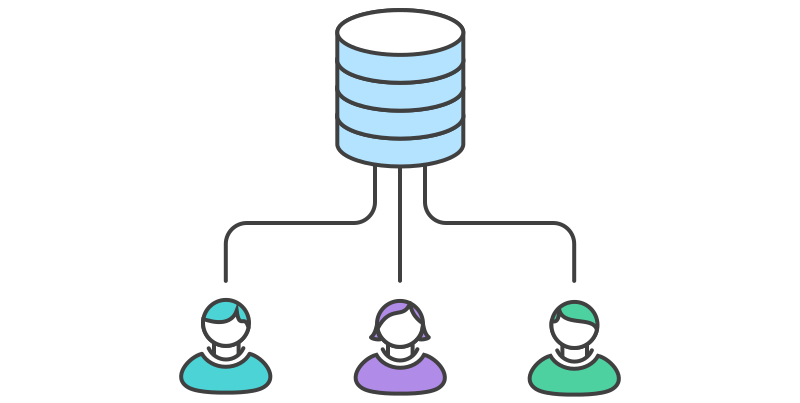

3.2.3. Pulling
pull Fetches from origin and integrates with another repository or a local branch
$ git pull origin master
3.2.4. Pushing
$ git push origin master
3.2.5. Configuring push
upstream - push the current branch to its upstream branch... simple - like upstream, but refuses to push if the upstream branch’s name is different from the local one... current - push the current branch to a branch of the same name.
$ git config --global push.default simple
$ git push
3.3. Branching
3.3.1. Create branches
$ git branch <Branch Name>
3.3.2. Move among branches
$ git checkout <Branch Name>
3.3.3. Delete branches
$ git branch -d <Branch Name>
3.3.4. Pushing branches
$ git push origin <Branch Name>
3.3.5. Delete remote branches
$ git push origin :<Branch Name>
3.3.6. Merging branches
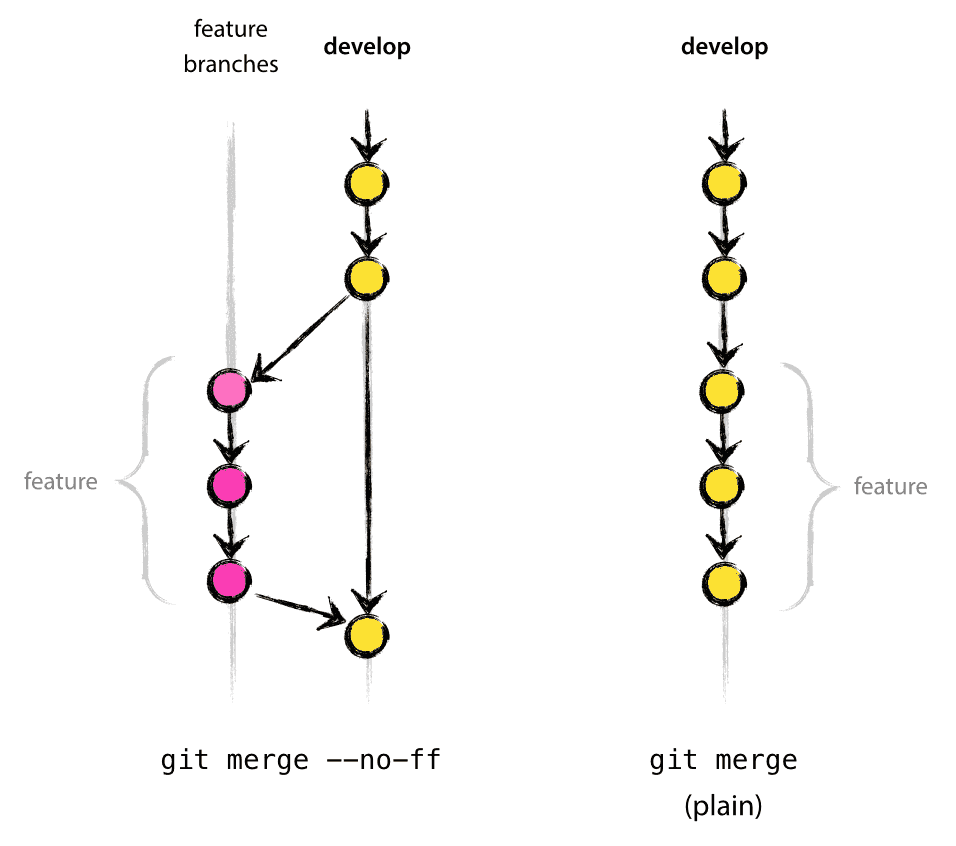
3.3.6.1. Merging branches by moving
$ git merge <Branch Name>
3.3.6.2. Merging branches with history
$ git merge --no-ff <Branch Name>
3.3.7. Advance Branching
$ git checkout -b <New Branch Name> <Parent branch>
3.3.8. Example
# Create a local branch
$ git branch testing_branch

# Move to the newly created branch
$ git checkout testing_branch

# Let's add some changes
$ echo "This is a test" > newFile.txt

# To index
$ git status
$ git add .

# New HEAD
$ git commit -m "This was a test"

# Pushing the branch to origin
$ git push origin testing_branch

# Merging with master
$ git checkout master
$ git merge --no-ff testing_branch

# Reviewing the Changes
$ git log --oneline